

of finance teams say month-end close takes longer than it should 1
Corporate Credit Card Reconciliation: Best Practices
Learn how to reconcile corporate credit card transactions, why the process breaks down at close, and how the DATABASICS Visa® Commercial Card gives Finance teams cleaner billing cycles.
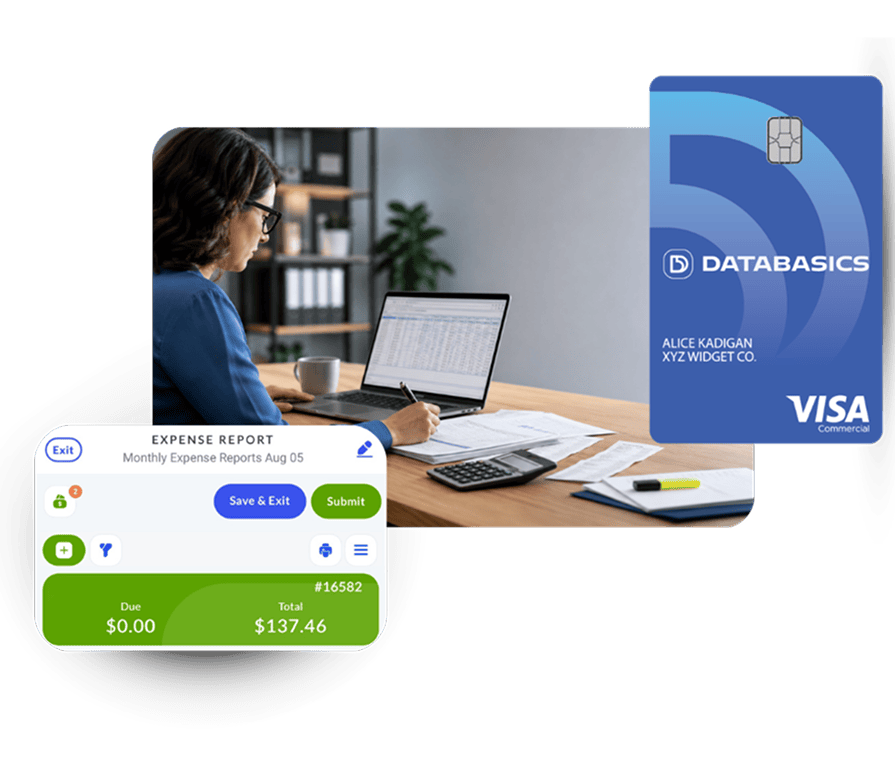
What Is Corporate Credit Card Reconciliation?
Corporate credit card reconciliation is the process of matching company card transactions to receipts, expense reports, approvals, and general ledger entries so Finance can confirm every charge is accurate, authorized, and correctly coded before close. Many organizations now use corporate credit card reconciliation software and automated credit card reconciliation tools to reduce manual effort and improve close accuracy.
Many organizations now rely on corporate credit card reconciliation software and automated credit card reconciliation tools to reduce manual effort, improve accuracy, and accelerate month-end close processes.
For Finance and Accounts Payable teams, this work should be routine. In practice, it often becomes the part of month-end close where teams lose time chasing receipts, sorting transactions across periods, and fixing coding mistakes before data can be posted to the ERP.
Traditional corporate card programs are built for payment, not process. They put the card in one system, expense reports in another, and the statement in a third place. Finance is left to manually reconstruct what happened.
Corporate Credit Card Reconciliation Process: How To Reconcile Transactions
To reconcile corporate credit card transactions, collect card charges, match each transaction to a receipt and expense report, verify approvals, confirm GL coding, separate charges by billing cycle, resolve exceptions, and post clean data to the ERP or general ledger. A practical reconciliation process usually follows these steps:
01
Capture card transactions
Transactions must enter the expense system quickly enough for employees and AP to act before close. Delayed card feeds create uncertainty and force Finance to investigate whether a charge is missing, pending, or stuck in transit.
02
Match receipts to charges
Each transaction needs a receipt or supporting documentation. Without automated matching, AP has to chase employees, review email attachments, and manually connect documents to line items.
03
Submit and approve expense reports
Card transactions need to move through the same approval workflow as reimbursable expenses. Bottlenecks happen when employees delay submission or managers leave reports sitting in approval queues.
04
Separate transactions by billing cycle
Finance has to know which charges belong to the cycle being closed and which belong to the new cycle. This is where many card programs fail because expense reports can mix transactions from both periods, creating reconciliation challenges that many corporate credit card reconciliation apps struggle to solve.
05
Review exceptions and coding
AP reviews missing receipts, out-of-policy charges, stuck approvals, project or grant coding, tax details, and GL accounts before transactions are posted.
06
Post reconciled transactions to the ERP
Once transactions are reconciled, approved, and coded, the final data must be posted to the general ledger or ERP without re-keying or reformatting files. Organizations that use real-time corporate credit card ERP integration and reconciliation workflows can eliminate delays and reduce posting errors.
What Are the Most Common Corporate Credit Card Reconciliation Challenges?
The biggest reconciliation challenges are delayed transaction feeds, missing receipts, late expense report approvals, billing cycle overlap, and manual ERP posting. These problems compound at close because Finance cannot close the period until every exception is understood.
Why are corporate card transactions delayed or missing?
In many corporate card programs, transactions do not appear in the expense management system when a purchase is made. They arrive through batch file feeds from the card issuer. If a file is delayed, corrupted, or missed, the transaction does not appear where employees and AP expect to find it.
Finance Reality: When a transaction does not appear on time, the first call usually goes to Finance, not the bank. AP becomes the help desk for a problem it does not control.
Why does receipt collection slow reconciliation?
Receipts are lost, forgotten, submitted late, photographed poorly, or sent as email attachments that still require manual matching. At scale, that creates a recurring chase process rather than a controlled close process.
Why do late approvals create close risk?
Finance depends on employees and managers to submit and approve expense reports before the card billing cycle closes. Without automated reminders or a live view of what is stuck, AP staff spend close week sending individual follow-up emails and deciding what can be posted safely.
What is the corporate card billing cycle overlap problem?
The billing cycle overlap problem happens when employees submit expense reports that include charges from both the closing card cycle and the newly opened cycle. Finance then has to sort which transactions belong to which period before posting to the GL.
For AP, that usually means identifying mixed-cycle reports, separating charges manually, chasing employees who have not submitted prior-cycle transactions, and working around uncertainty about the bank's exact cutoff date.
Cycle Close Risk: Without a system-enforced cycle boundary, AP manually reconstructs billing period separation every month. That is not an edge case. It is the standard experience when card and expense systems are disconnected.
Why does ERP posting create the final-mile problem?
Once transactions are reconciled, coded, and approved, they still have to reach the general ledger. In disconnected systems, teams often export files, reformat data, and re-key details into ERP systems such as Sage Intacct, Microsoft Dynamics 365, SAP, NetSuite, or JD Edwards. That creates errors at the finish line.
How Does the DATABASICS Visa® Commercial Card Automate Reconciliation?
The DATABASICS Visa® Commercial Card puts the card, expense report, approval workflow, reconciliation view, and ERP posting process inside DATABASICS Expense. Transactions appear immediately, receipts attach by email reply, billing cycle holds separate periods, and AP can review every transaction from one reconciliation screen.
01
Employee makes a purchase
The cardholder uses the DATABASICS Visa® Commercial Card at any Visa-accepting merchant.
02
Transaction appears instantly as pending
The charge is visible in DATABASICS Expense immediately, not after a batch upload. The employee sees it. AP sees it. No one has to guess whether it arrived.
03
Employee receives an email confirmation
An automatic notification confirms the transaction has been captured. The employee can reply directly to that email with a receipt image, which is attached to the correct transaction line.
04
Expense report is submitted and approved
The employee submits the report through the normal DATABASICS Expense workflow. Approval routing follows the organization's configured rules, with reminders and escalation paths to reduce bottlenecks.
05
Finance reconciles the card billing cycle
AP reviews cycle totals and transaction-level detail in the reconciliation interface, including status, owner, approval state, receipt status, and GL coding.
06
New-cycle transactions are held pending
Transactions from the new billing cycle can be held in a pending state until AP releases them. This prevents overlap and gives Finance the clean separation needed to close the prior period.
07
Transactions are released and posted
Once the prior cycle is reconciled and posted, AP releases the hold. New-cycle transactions flow into the next reporting period.
KEY DESIGN PRINCIPLE
Most corporate card programs are designed for the person swiping the card. The DATABASICS Visa® Commercial Card is designed for the person who has to close the books.
What Makes the Best Corporate Card Reconciliation Software?
The best corporate card reconciliation software gives Finance real-time transaction visibility, automated receipt matching, configurable approval workflows, clean billing cycle separation, a dedicated reconciliation screen, and direct ERP posting. A card program that lacks any of these capabilities usually pushes manual work back onto AP.
| Capability | Bank-issued card + separate expense software | Standalone corporate card platform | Expense platform with third-party card feed | DATABASICS Visa® Commercial Card |
|---|---|---|---|---|
| Real-time transaction visibility | No. Transactions often depend on file feeds or statement review. | Usually yes, but not always tied to a full expense workflow. | Limited. Feeds are often batch-based. | Yes. Transactions appear in DATABASICS Expense immediately. |
| Receipt matching | Manual or dependent on separate expense software. | Basic receipt capture, often with limited policy context. | Depends on the expense platform and feed quality. | Yes. Receipts can attach by email reply to the correct transaction. |
| Billing cycle control | No. Finance reconstructs cycle boundaries manually. | Limited. Card-first systems rarely solve expense report overlap. | No native control over the issuer's billing cycle feed. | Yes. Configurable billing cycle hold separates prior-cycle and new-cycle transactions. |
| Reconciliation screen | Usually no. AP works from statements, exports, and reports. | Partial card visibility, often not full expense reconciliation. | Partial, depending on integration depth. | Yes. AP can review transaction status, owner, coding, and report status in one view. |
| Approval workflows | Depends on separate expense software. | Often limited for complex organizations. | Depends on expense platform configuration. | Yes. Configurable workflows, reminders, and escalation paths. |
| ERP posting | Often manual export or re-keying. | Limited compared with full expense systems. | Depends on the platform and connector. | Yes. Supports integrations with Sage Intacct, Microsoft Dynamics 365, SAP, NetSuite, JD Edwards, and other systems. |
| Compliance and audit trail | Fragmented across systems. | May be insufficient for complex policy, grant, project, or government contracting needs. | Depends on configuration. | Yes. Expense policy, approval history, receipt record, coding, and reconciliation data stay together. |
DATABASICS is built for organizations that need more than a card feed. It is a fit when Finance needs one platform for card transactions, expense reports, policy enforcement, approvals, project or grant coding, reconciliation, and ERP posting.
Benefits of Corporate Credit Card Reconciliation Software
Modern corporate credit card reconciliation software helps Finance teams reduce manual reconciliation work, improve receipt compliance, enforce approval workflows, and accelerate month-end close. When card transactions, expense reporting, reconciliation, and ERP posting operate in a single platform, organizations gain better visibility and stronger financial controls.
How Does Automated Reconciliation Change Month-End Close?
Automated reconciliation changes close by removing the manual work Finance usually performs between the card statement and the ERP. AP gets cleaner cycle boundaries, fewer receipt chases, better exception visibility, and less rework before posting.
Faster close cycles
The billing cycle hold gives AP clean separation without manually sorting mixed-cycle reports.
Stronger compliance
Policy rules and approval routing are enforced before transactions hit the GL.
Full spend visibility
Every transaction shows its status, owner, coding, receipt, and report context in one screen.
Audit-ready records
Receipts, approvals, coding, and reconciliation status stay connected from purchase to posting.
Fewer systems and handoffs
The card, expense report, approval workflow, and reconciliation process share one platform.
Less AP follow-up work
AP can see who owns an exception and send reminders without leaving the reconciliation screen.
If your finance team spends the last week of every billing cycle untangling transactions across periods, chasing receipts, and matching card statements manually, that is not a people problem. It is a systems problem. The DATABASICS Visa® Commercial Card was built to solve that systems problem.
Frequently Asked Questions
What is corporate credit card reconciliation?

Corporate credit card reconciliation is the process of matching company card transactions to receipts, expense reports, approvals, and GL entries. The goal is to verify that each charge is accurate, authorized, documented, and coded correctly before the accounting period closes.
How long does credit card reconciliation take?
The time required depends on transaction volume, receipt compliance, approval speed, ERP integration, and whether the card feed is connected to the expense system. DATABASICS internal implementation and support data found that finance staff spend an average of 8.5 hours per employee per month on card reconciliation.1
What is a billing cycle hold?
A billing cycle hold pauses new-cycle transactions in a pending state while Finance closes the prior cycle. The transactions remain visible and trackable, but employees cannot mix them into reports tied to the period being closed until AP releases the hold.
Can corporate card reconciliation be automated?
Yes. Corporate card reconciliation can be automated when transaction capture, receipt matching, approval routing, billing cycle control, reconciliation review, and ERP posting share the same platform. DATABASICS automates these steps through the DATABASICS Visa® Commercial Card and DATABASICS Expense.
How does DATABASICS solve the billing cycle overlap problem?
DATABASICS gives AP a configurable billing cycle hold. This keeps new-cycle transactions pending until the prior cycle is reconciled and posted, so Finance does not have to manually separate charges across periods.
What ERPs does DATABASICS integrate with for reconciliation?
DATABASICS supports integrations and direct posting workflows with ERP systems including Sage Intacct, Microsoft Dynamics 365, SAP, NetSuite, JD Edwards, and other accounting platforms.
Sources
01
DATABASICS, Inc. (2026).Internal metrics: Client implementation and support data.Unpublished internal report. Note: because this is internal data, use it as DATABASICS-specific context rather than a third-party benchmark.
02
Global Business Travel Association Foundation & HRS. (2015).Expense reporting: Global practices and pain points. https://gbta.org/how-much-do-expense-reports-really-cost-a-company/
03
Ledge. (2025).The state of month-end close in 2025: Finance team benchmarks & insights. https://www.ledge.co/content/month-end-close-benchmarks-for-2025
Learn More About the DATABASICS Visa® Commercial Card
See how DATABASICS can simplify corporate card reconciliation for your billing cycle, approval workflow, and ERP.

Subscribe to Our Blog
Subscribe to our blog and get the latest in time tracking and expense reporting news and updates.