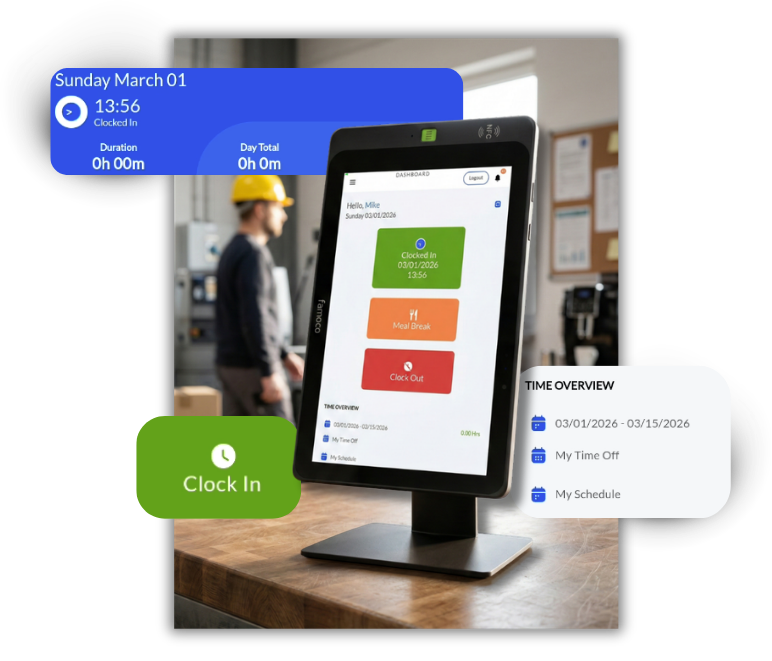

Facial Confirmation at Every Login
A photo is captured at every clock-in without bypass options. Daily audit reports flag any photos that do not match the enrolled employee record. Clock-ins are never blocked; accountability is added after the fact.
Full Remote Device Management
DATABASICS maintains complete control over every deployed device. Remote reboot, lock, unlock, push notifications, and centralized configuration. Your admin can also access device controls directly through a dedicated portal.
IP65 Certified Rugged Build
Rated for dust, water splashes, shocks, and drops. Built for construction sites, warehouses, labs, and any environment where consumer-grade hardware does not last.
Native DATABASICS Integration
Works directly with your existing DATABASICS timesheets account. Time entries, timesheet access, and vacation tracking all available from the device. Expense reporting remains on the web.






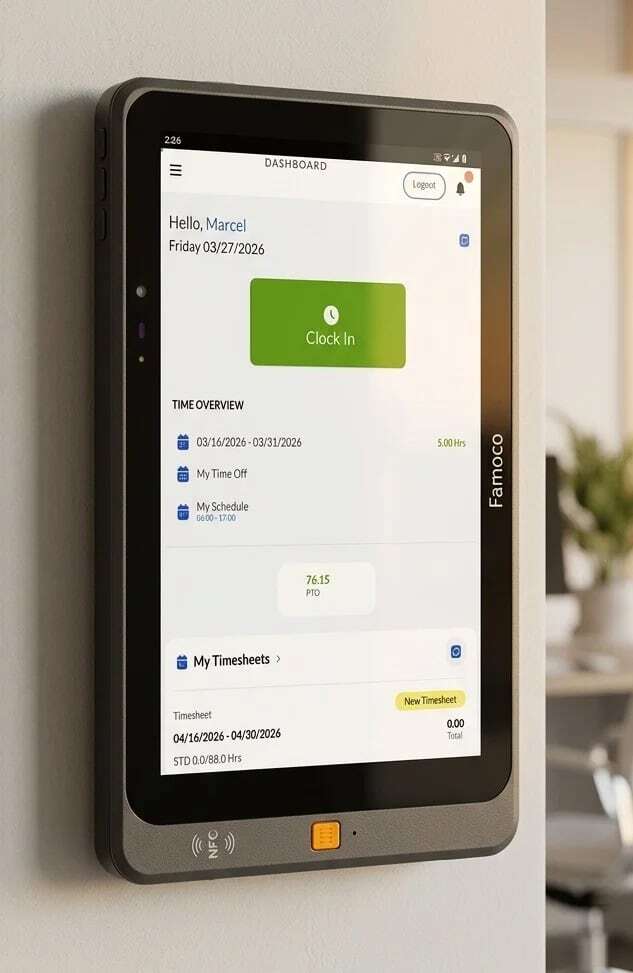
Facial Confirmation
at Every Login
A photo is captured at every clock-in without bypass options. Daily audit reports flag any photos that do not match the enrolled employee record. Clock-ins are never blocked; accountability is added after the fact.
IP65 Certified Rugged Build
Rated for dust, water splashes, shocks, and drops. Built for construction sites, warehouses, labs, and any environment where consumer-grade hardware does not last.
Full Remote Device Management
DATABASICS maintains complete control over every deployed device. Remote reboot, lock, unlock, push notifications, and centralized configuration. Your admin can also access device controls directly through a dedicated portal.
Native DATABASICS Integration
Works directly with your existing DATABASICS timesheets account. Time entries, timesheet access, and vacation tracking all available from the device. Expense reporting remains on the web.


We ship it ready.
Pre-configured to your DATABASICS account. No setup on your end.

You plug it in
Wall mount or countertop. Wi-Fi 6E or built-in 4G LTE with eSIM.

Employees clock in
Each login captures a photo. No bypass. No exceptions.

You get a daily audit
Mismatched photos flagged automatically. Review in five minutes.

Consortium for Ocean Leadership
DATABASICS customerHow are login photos stored and protected?

Photos are stored as identity records, not biometric templates. We help you stay aligned with BIPA, CUBI, and similar state laws.
What if a face isn't recognized?
The clock-in is never blocked. The daily audit report flags it for manager review.
What's the lead time?
Pre-configured devices typically ship within 5 business days of order confirmation.