
Every Expense Reviewed by AI

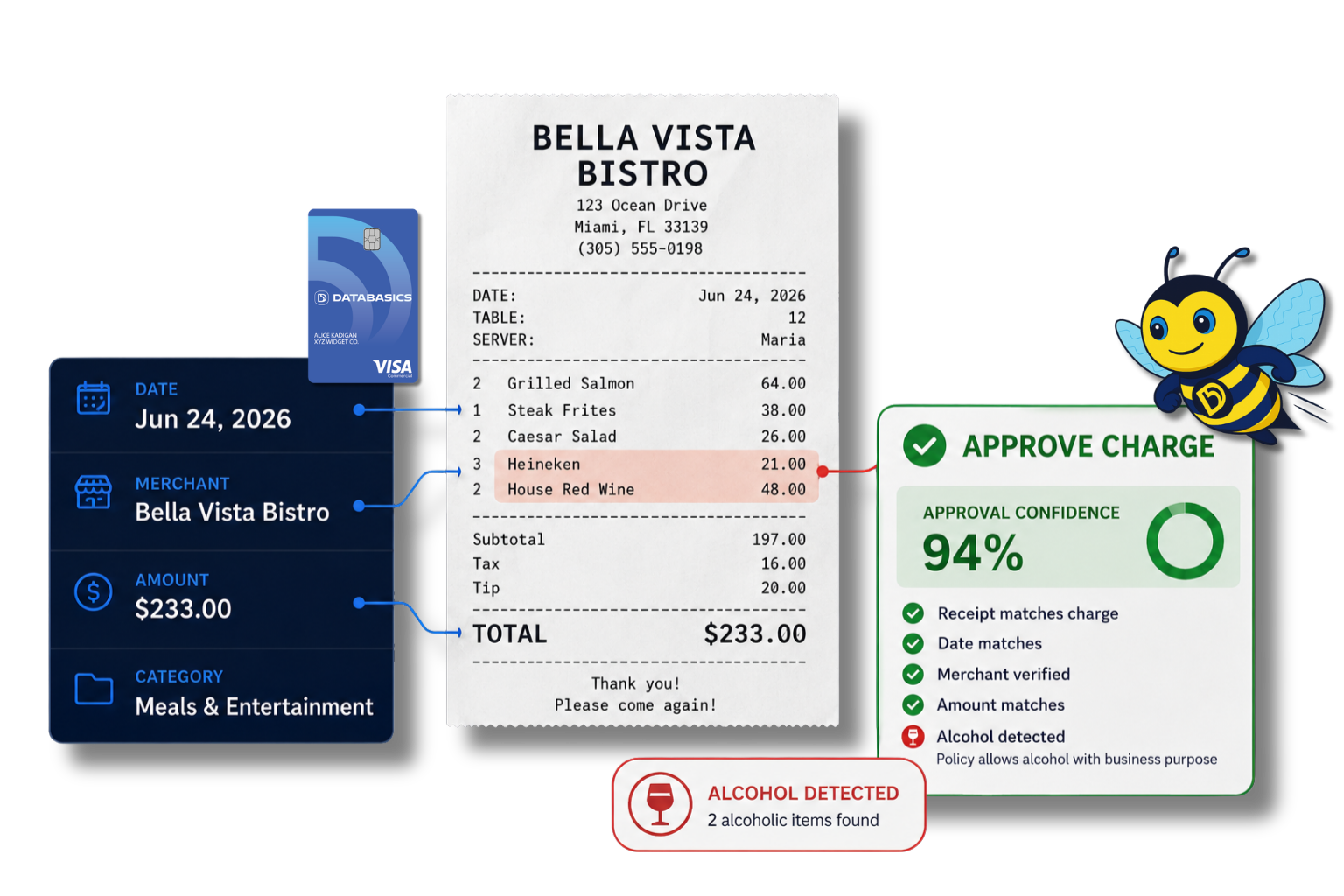
DATABASICS Expense AI reviews every expense before approval catching receipt issues, duplicates, policy violations while keeping finance team in control. 

dbee ai expense approval

What is AI Expense Approval?


AI Expense Approval is a workflow layer inside DATABASICS that reviews expense receipts and line items against defined policies before the report reaches a human approver.

Reduce repetitive checks without replacing the approval process. The system can flag common exceptions, generate a reason, and route the report based on the outcome.

Who is AI Expense Approval for?

Open read moreClose read more
icon-Analysis

Finance administrators

Set the policy rules, thresholds, and routing logic that decide what gets approved, flagged, or sent for review.


Open read moreClose read more
Group 109 (1)

Approvers and managers

Spend less time checking receipt details line by line and more time handling the exceptions that actually need judgment.

Open read moreClose read more

AP and audit teams

Review flagged items with a recorded reason and a cleaner audit trail than a manual receipt chase.

How does AI Expense Approval work?

Not every check belongs in AI. Some rules are better enforced in policy validation before the report gets that far, while AI handles the receipt-level review that is harder to do quickly by hand.

Spend control

Stop questionable charges before they happen when possible, including card-based controls and restricted merchant categories.

Policy validation

Enforce receipt, mileage, commute, per diem, attendee, duplicate, and gift card rules before submission.

AI approval

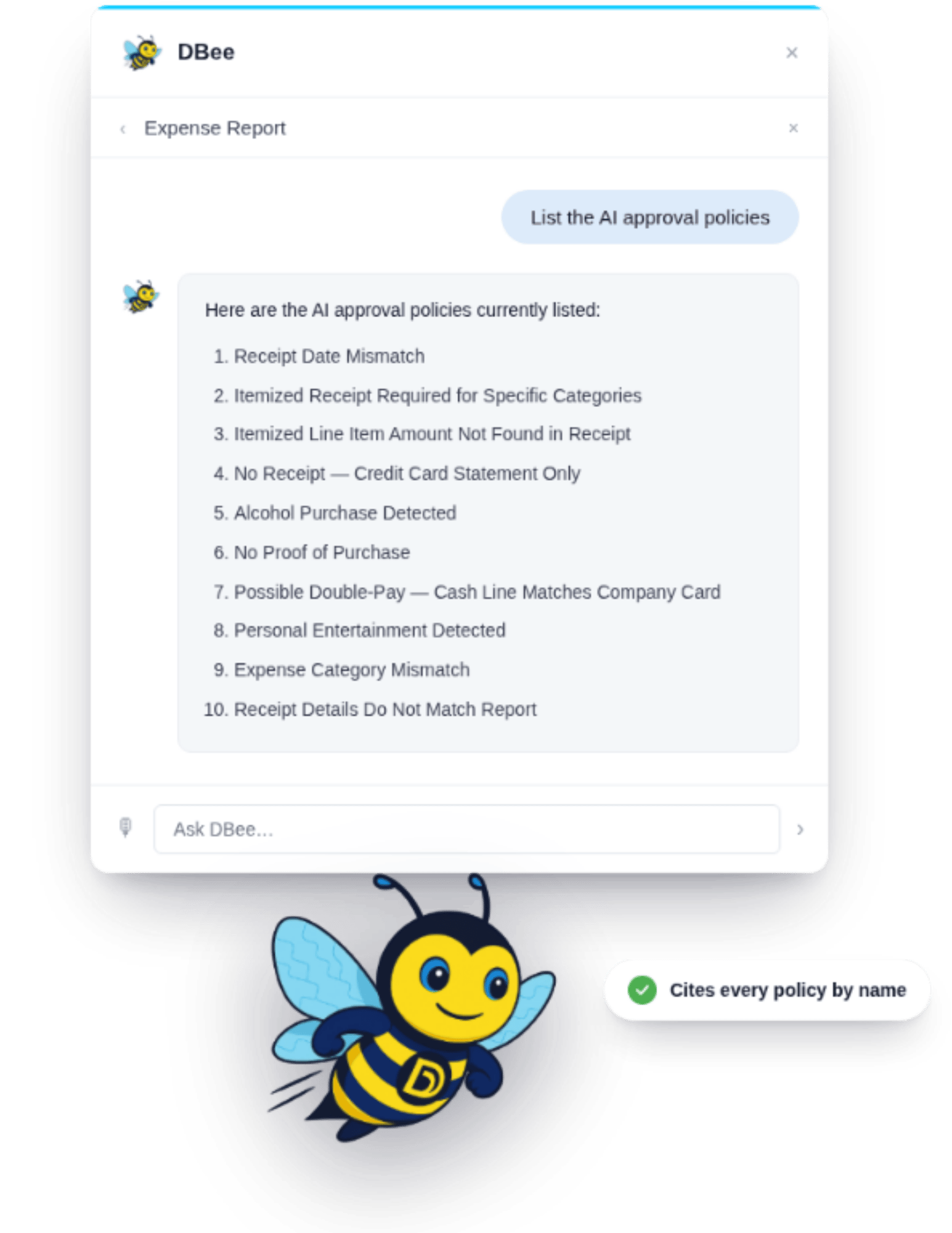
Review receipts and line items for itemization, alcohol, date mismatch, amount mismatch, payment-type mismatch, and category errors.

Human approval

Keep final oversight for exceptions, edge cases, and approvals that need judgment.

receipt bee ai policies
What does the AI check?

AI Expense Approval is used to catch common receipt and coding issues before a human approver has to review them.

  • Receipt itemization: Flag receipts that do not show enough detail to support the expense.
  • Alcohol on meal receipts: Flag receipts where alcohol appears and company policy needs that reviewed.
  • Amount and date mismatch: Compare the receipt with the amount and date on the report to catch inconsistencies.
  • Payment-type mismatch: Catch cases where a corporate card charge is entered as reimbursable or out-of-pocket.
  • Expense type mismatch: Flag a meal coded as gas, or another category that does not fit the receipt.
  • Duplicate payment risk: Help identify repeated reimbursement or duplicate charge scenarios before approval.
dbee flying

Reach out to see AI Expense Approval in action!