Webinar Transcript
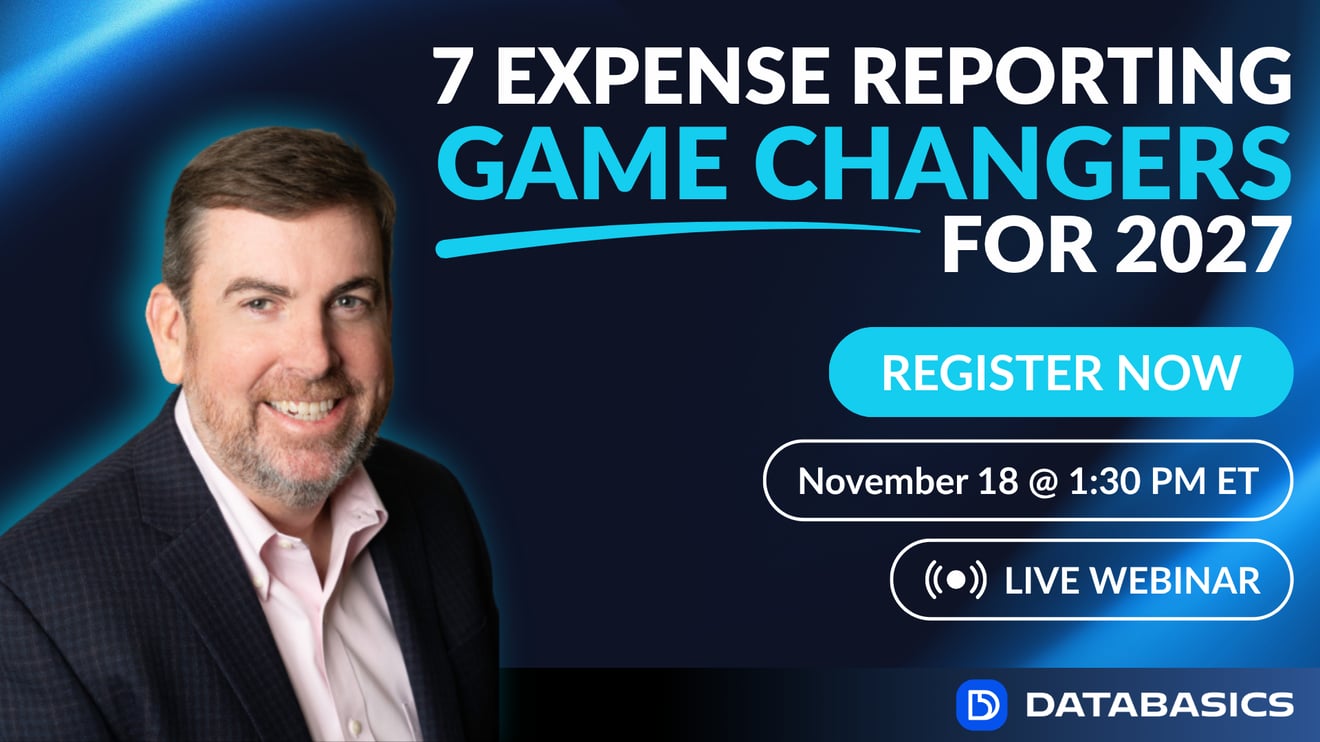
Good afternoon, everyone. Thanks for joining us. I'm Chris Harley with DATABASICS, and over the next 20 minutes or so, we want to go through and talk about the 7 game changers that are impacting expense reporting for 2027. At this point, automated expense reporting has been out for, well, well over 30 years or so, and technology continues to change. I've spent the last 4 or 5 weeks traveling to different accounting conventions out there. I've been with the folks at Sage Intacct, Microsoft Dynamics, NetSuite. Talking to lots of customers and partners around what's going on as it relates to expense reporting and timesheets, and is there any new technology? Obviously AI is the big one that we are all talking about, but in addition to AI, there are some other items that are taking place as it relates to expense reporting that we certainly wanted to talk about, and that's why we wanted to put together this quick conversation here this afternoon.
For those of you that aren't familiar with DATABASICS, in addition to expense reporting, we also have a timesheet and leave management solution. We are headquartered in the Washington, D.C. area, been providing these solutions here for really 30 years, really since the first web-based products came to market back in the late '90s. At that point, what organizations were looking to do was just to figure out how the web can help them automate and streamline processes. The challenge is still the same. As we sit here in 2026 looking at 2027. But obviously technology continues to change and there are some specific items around expense reporting that we're really seeing organizations start taking advantage of to help make life as easy as possible.
As it relates to DATABASICS, what we are best known for out there as it relates to timesheets and expense reports is certainly our ability to work with organizations regardless of how complex or simple their individual environments are. Specifically being based here in the United States, we have customers that do business throughout the world, and most of our customers are looking for us to support the way they manage projects. And people define projects different ways. Sometimes we talk about in a not-for-profit environment, like a grant or a fund or an activity. In a professional services environment, you look at traditional projects. And then if you look at construction and other arenas like oil and gas and architectural engineering, it really comes down to how you're looking to allocate.
But what I want to do here is really jump in and talk about the 7 items that are really changing the way companies are using expense reporting. I mentioned I've spent the last few weeks out talking to a lot of folks throughout the country as it relates to what they're doing with different accounting systems out there. The interesting thing is that the most common concerns, the most common complaints are still some of the most basic ones. You know, how do we quickly and easily get employees to provide receipts? How do we make sure that the data we have within the expense or get the data from the end user into the accounting system? And so funny enough, some of the most common complaints are still the same ones we've heard here for the last 30 years or so. But there is new technology out there. There are enhancements and modifications being made to our software and all solutions out there. And so we really want to talk about that.
So we're going to go through these 7 different game changers, and then what we'll do is jump over and give you a quick glimpse of how this is actually working in production. I've got access to our internal expense platform, so I'll show you what we're doing from that side. And then what we'll do is wrap up if there's time, a couple Q&A if you guys have some. And then at that point, we're free to go. As it relates to Q&A, there is the ability within the Zoom platform to ask those questions. So feel free at whatever point to go ahead and ask those, and I'll look at those as we get to the end.
Game changer 1: AI expense report review
So, as we talk about the game-changing technology, obviously, the most common and what we hear about every day is really what is AI doing to really every part of our life. In the expense reporting arena, AI certainly is having an impact. There's a couple different areas that I'm going to talk about AI today, and we're really going to start with one of kind of the most advanced technologies. Usually I'd kind of keep this till number 6 or 7 to kind of build up the conversation, but I really want to kind of start at the top with probably the most impactful, maybe the second most impactful piece of how AI is impacting expense reporting, and that's really allowing AI to go out and do reviews of individual expense reports out there.
The way we have this presented here within these slides, you'll see we kind of talk about, you know, what life looked like before and what it looked like after some of these game-changing trends. And so if we were to look at what took place years ago, you would have organizations would go in and a user would submit an expense report. Someone in accounting or finance would either do a very thorough analysis or claim they were doing a thorough analysis. The expense report would be approved and then moved over into the accounting system. And again, depending upon the type of organization, there may be an additional audit at some point or not.
With AI, what we are able to do these days is to effectively build AI into the first layer of approvals out there. So what that means for an organization is they can determine what level of detail they want AI to look at within an expense report. When a user goes and submits an expense report before it goes to anyone for approval, it will actually go through an AI review. The AI, depending upon how detailed you want it to be, can go through and look at individual details within a transaction. It can look at variances across other expense reports. It can do reviews to make sure coding is taking place. But the important thing is that it will go through there and look at the individual transaction, decide whether it is allowed to be, quote, approved, and then go on through the rest of the chain. The neat thing about this is that when that expense report gets to the accounting or finance team, or whoever's reviewing, they now have an expense report that has basically all the checks and marks that needs to take place so they can go ahead and make a hopefully quick review, educated review, and push that through the process.
I'm going to show this here in a few minutes when we jump in and kind of look at our environment out there. But this is a very critical component to what we're able to do out there because it allows you as an organization to have a very detailed review or a very general review depending upon how you need to do that. Now, for those of you that, and we know most of you always say this, I wish we had more people in our accounting group to help us do this, this allows you to basically act like a very large group with a very small footprint as it relates to what we're doing there from an expense reporting side. So, the AI is getting in there, it's grading it, and then being that first level of approval.
Game changer 2: Auto-creation of expense reports
The second one is auto-creation of expense reports. Now, we've been dealing with this for a number of years out there, but it's not so much AI. A lot of companies are talking about it being part of AI, and it's really not AI, but we're happy to give AI credit for it. But the ability for our application to go out there and auto-create expense reports, I just got off a call earlier this morning where a customer was talking to one of our individual reps about, you know, hey, we have all these transactions out there. How do we, you know, it's the same sort of data out there. How do we get these quickly through, quickly into the expense report and built to the process? What we can do within our solution is go out there and take the data off a receipt, read the transaction data, and if we're using a corporate card, match that up against a corporate card, and then start the expense report for the entire user.
Now, in this case, we're only talking about starting it. In reality, if I want to make an 8th line item here, this game changer is we can also go in and not only start it, we can also push it off into the approval process. And if it falls within the guidelines of it being pre-approved, it can go in and automatically be approved. So if you have volumes of transactions that are basically within budget, the user's making sure he or she's getting the proper, appropriate documentation. We can go through or have it auto-created, auto-approved, and pushed over into your accounting solution. Again, it's not AI. A lot of folks talk about it being AI, but what it is is a real timesaver for individual users and for those folks that are looking at the overall expense reports.
Game changer 3: Credit card transactions
The 3rd one is what we're looking at here is credit card transactions. Now, credit card transactions have been fed into expense reports for well over 20, 25 years. But one of the things we are hearing these days, depending upon the vendors you're talking to, is do we have the ability to go out there and to use multiple cards, or are we forced to use the card that our individual vendor has? And we're here to say you shouldn't be restricted or forced to use one card or a card from a specific vendor out there within your expense platform. There is the ability this day and age for companies to pull in multiple cards, no matter how big or small that card program is. If you've got a small business and you've got certain executives that want to use their small business program, American Express, and then you've got other folks that want to go out there and use like the card from DATABASICS, you can certainly go out and do that in a single environment out there. So we used to see companies being kind of forced into one card or a card they weren't happy with because maybe again, it didn't fit the profile for the individual users out there. We now can go out there and pull in multiple cards. And so what we want to say here is don't feel as if you should be forced into one direction or another as it relates to cards. So certainly the ability to use any card for any feed into your expense reporting platform.
And to take this a step further, it doesn't always have to be a corporate card. It can also be a program out there. So if you're looking at companies like, you know, maybe a construction organization may have a corporate relationship with a Lowe's or a Home Depot. We certainly can go out there and pick up other feeds, and it doesn't have to necessarily be a feed from a specific bank. So again, looking at the individual relationships you have as it relates to how you do business, what we would say is talk to your expense reporting provider and see what they can do to certainly get additional data there into the solution.
Game changer 4: Project allocation at the transaction level
The 4th one goes back to one of the things I mentioned earlier, is that we've always worked with project-based organizations. And historically, when it came to doing an expense report, receipts were always a big challenge for the user to make sure they got the receipts in. Then we got to how do we code the individual transaction? And that's still probably the biggest challenge we hear from talking to accounting and finance folks is saying, hey, we want to make sure the users understand how to code and they get the proper coding in there. But one of the challenges also is for those organizations that are tracking and allocating expenses to individual projects or activities. We see this again. I've used construction a minute ago talking about cards, but we see this with oil and gas field services out there where you have folks that are having transactions and at the point of the transaction taking place, they would like to have the user go ahead and add a project. The challenge with that is typically most expense systems don't allow you to add project data until you're actually in the expense report. So being in the expense report means that you need to have the receipt in there, means you need to have the credit card transaction, and then you're able to go in there and add the project code.
What is changing and what organizations like DATABASICS now have is the ability for the user to add the project right at the transaction level. So the way that works is if I'm going to go out and I'll use the example using the DATABASICS card, I purchased fuel and I'm notified that the fuel purchase came in. What the user is able to do at that point is to say, hey, here's the project number in there. And what will happen is that that allocation and that project number will be associated to the transaction before the transaction has even cleared into the bank from that side out there. So when the user gets back to the office or gets an opportunity to go ahead and complete the expense report, the nice thing is the project transaction details are there. Ultimately, what that allows us to do is to move that project data completely through the accounting process to make sure it ultimately maps over into the accounting solution from that perspective.
Game changer 5: Integrations
So we've talked about 4, let's talk about 5. And number 5 kind of relates to what we talked about with 4 out there, which is really more integrations. When I first started working with companies on the expense reporting side, people always say, you know, what was the number one question people asked or what was the number one concern? And it was always integration. Integration has always been one of the keys to making expense reporting work within an individual organization. And that integration historically was always with kind of the core financial system. So again, if you were using a Sage Intacct or QuickBooks, an Oracle, a NetSuite out there, it was how can we move the data from the DATABASICS expense platform into this accounting solution. This day and age, that is still critical, and we want to make sure that information is bidirectional. Again, one of the big wastes of time before people started automating expense reporting was spending a lot of time keying data. This day and age, we can certainly go out and automate that, but also looking at how we can automate and integrate into other platforms out there.
I mentioned a minute ago talking about integrating into vendors like a Home Depot and a Lowe's out there. We also see organizations that want to start integrating into their HCM system like a UKG or a Dayforce out there or an ADP, or even looking at some of their CRM systems like a Bamboo or a salesforce.com. So one of the things we certainly tell organizations when we sit down with them to understand what their biggest challenges are is don't think of this in a one dimension as far as this data can only go or only be picked up from the accounting system. Look at the bigger picture, look at your entire ecosystem. Let's figure out how we can make this application operate within that, within your overall environment, because that ultimately is a game changer for you as it relates to simplifying how data moves. That would also relate to one of the things I mentioned, that DATABASICS has a timesheet solution out there. So we see a lot of organizations that want to go in and use our time application in addition to our expense application, because again, it allows us to move that data within a very constructed environment and to make sure we have the appropriate project codes, the appropriate reporting data. And when we talk about AI, you can then pull that information and put that on top of all of that information.
Game changer 6: AI for policy and compliance
So, we talked earlier about AI from an overall perspective and doing the ability to go out there and to look at and approve as that first layer of approval on expense report. We also can go out and do it from an overall policy perspective and catching that at the point of entry. So again, we tell people all the time with expense reporting, one of the tough things is if someone submitted an expense report, you're probably going to reimburse them because it's so far down the path. What we want to do is make sure that we can go ahead and catch rules and problems at the point of entry. And so again, what we're able to do is at the point of the transaction taking place, the point of the user looking at the expense report, we can go there and check really against any sort of component out there. I will show you here in a minute how AI can go out there and not only check, you know, give you details around what's taking place within individual receipts, but it can do a very quick and easy review to look at disparities that you may have within your individual organization. You know, if you sent 8 people on a project to a certain city and they're all staying at the same hotel, you can go to AI and say, okay, let's look at this group of people. Does everyone have what looks to be the same cost per night within the individual hotels? Or how do rental cars look? Again, it's very difficult for someone to be kind of quickly eyeballing expense reports over the course of a day to figure out, does that number look right or not right? And with AI, we can go out there and we can not only enforce the individual challenges you have and compliance you have, but also look across the greater database and organization to see how that matches up to what everyone else is doing.
Game changer 7: Invoice approval workflows
And then really this last piece here, and this talks really kind of about our larger footprint as it relates to what organizations are doing, is getting into what we can do to automate invoice approval workflows for, again, 30-plus years we've been working with companies to go out and automate the expense reporting process. What we've seen here in 2026 is a large number of our customers, as they move into 2027, are looking for how we can help them also automate invoices. It's a very similar process to what you do on the expense reporting side as it relates to travel expenses and internal expenses out there. The only difference here is that instead of looking at an individual user as a vendor, what we're doing is looking at your vendors as vendors out there. The technology that sits within a platform like ours to go out and read receipt data and tips and the transaction details can also be used to read details off invoices, including POs and all the rest of that. So we're seeing a lot of organizations want to go out there and to figure out how to push these invoices through a process similar to what we do with the receipts. Have us read that data, push it to an approval workflow, and ultimately have that flow over into your accounting system. Similar to what we talked about earlier with having us integrate into more parts of your process, also having us use more solutions to integrate into your overall process, giving you a real cost savings as it relates to what you're doing.
Summary
So as we look at kind of in summary of those 7 game changers out there, it really comes into how are organizations using AI? What can we do to auto-create expense reports and to auto-approve to simplify the process out there? Opening up and expanding your ecosystem to not be restricted to using a simple one card. If you want to use multiple cards, it's out there. For project allocations, we talked about how we can do that at the line item level, but I'll also mention we're seeing organizations, and again, this is another game changer, who aren't historically project-based companies looking to use projects to go out and track things like events and other costs out there. I talked just now about what we can do from an integration perspective. Obviously, the AI is huge as it relates to control and compliances, and then when we get into invoice management out there.
Demo
So we've got a couple of minutes. I promised I wouldn't take too much of your afternoon here. What I want to do here is jump in and show you what it looks like here as it relates to AI. Now, as I mentioned, DATABASICS. This is my internal environment from an application perspective. What we have here is this is actually my internal use of my solution. So you'll notice here I have some expense reports. I mentioned I've been doing some traveling here in October, November as it relates to some of our different partners within the accounting system profile. But what I wanted to do today was not go through and do an expense report, but really talk about how AI is being used.
Now within the DATABASICS platform, I have a number of expense reports out here, and you'll notice that all these expenses have been approved. But what I wanted to show you is over here on the right side of the screen, each one of my expense reports has a grade associated with it. Now those grades are dictated by our finance and accounting team. They decide what the parameters are, what's allowed, what's not allowed, depending upon who we are within the organization and what we should be doing. And then my grades are associated. As you can see, my grades, well, I wish my grades looked this good when I was in high school and college, because there are actually a couple of A's there. But what you'll see here is that there are different grades on the far right screen associated to my individual expense report. That grade is created at the point of entry. So it's when I submit this, the grade is associated, and then someone in the accounting and finance group is going to see it, and then they do the final approval.
But what you'll see here is if I go ahead and open up that grade a little bit more detail, you will see what AI is actually doing. And think about how much time and effort it costs for you as an individual organization to do this today. You'll notice this is the AI verdict. A bunch of these are flagged, or I'm sorry, a bunch of these are approved. But then you'll notice here toward the bottom, some of these have been flagged. And what you're seeing here is in this case, it's showing alcohol purchases detected out there. You'll notice even down here, as it looked at an itemized receipt, you'd even notice that the alcohol was Tito's. So you'll notice here it picked up an invalid receipt. You'll notice down below it shows the credit card transaction shows only the transaction total without the tip and not the actual purchase. So you can build the application. Now, again, you don't have to stop at the app. You don't have to stop the approval process. But what you're seeing here is the ability for the application to go in there and to look and basically make it ready to be approved so that when someone comes in to approve it, he or she knows exactly what they should be looking at.
Now, the system can also go and have a dialogue back and forth between the user. And you'll notice here, and again, I'm just showing this, this is for example purposes. You'll notice here this top transaction I had, it said there happened to be a mojito on there. I should really be traveling with different types of coworkers out here. And what you'll notice here is that I had in here, I said basically the corporate policy. So it asked me and then I gave an explanation that our corporate policy allows alcohol. You'll notice down here that it's picking up individual details. In this case, it noticed the receipt amount was different than the actual transaction amount coming over my corporate card. So the big point we want to show here is that think of the time that you're spending as an individual organization looking through all of these individual details. What we can do here within the application is allow the solution to do that initial review for you. And then at that point, when it comes to you and the accounting and finance group decide if you're good to go with that overall approval out there.
Q&A and close
Now, there's a lot more examples we can show, but again, I didn't want to take too much time this afternoon. I do see there's a couple of questions out there, so let me jump into the questions here for a second and then we'll wrap up. I will tell you all, we will certainly provide you a copy of this presentation here. Let me see just a couple of questions out here.
The first question that's always out there is cost. How does it relate specifically cost related to AI? How does we continue to see the cost of AI go up, how does DATABASICS handle AI? What we are doing within our application is we are assigning basically for those organizations our natural language query, which is basically the ability for us to go in the application and to pull out reports and those details are all part of our standard base solution out there. As it relates to the AI side, what we have is basically a per-report cost as it relates to that. And through the research we've done and recognizing the cost of tokens out there, we've seen that that cost seems to be, again, it works fine. Customer seems to be happy with it as you look at the return on investment there and also from our overall side.
A couple more. Let's just see kind of a big one out there. Integration. Someone's asking, I listed only a couple accounting systems on one of those slides. So yeah, I think we listed on the slides that DATABASICS has some formal partnerships. If you look at, you know, NetSuite, Sage Intacct, Microsoft Dynamics, ADP, we have formal partnerships with those organizations. Outside of that, we do operate within an open API and integration platform out there. So really any major accounting system in this day and age we've done integration with. Even if you look at some of the newer ones out there, Campfire, Rillet and the rest who are kind of the new kids on the block, we've done integration with those platforms. But if you look at the traditional, the QuickBooks, the Oracles, the JD Edwards, the Deltek Costpoints, this day and age, again, integration is pretty standard. The way we integrate may vary depending on the platform out there.
But again, what I would always say is if you've got a specific question, and that's how I'll kind of wrap this up now, is with the rest of the questions that are out here, we will certainly follow up. But again, if you have any questions, what I would suggest you do is you'll see the email address there is our general sales inbox, which is sales@data-basics.com. We will also get an email. I'm sure you got an email from either Amanda or Tracy within our marketing team, but just feel free to reach back out to us and we'll be happy to answer any questions.
With that, I want to thank you guys for giving us some time here today. Hopefully you found it very useful as we look at what we're doing here from a game-changing perspective. If you are interested in what we do from a timesheet or even a combined timesheet and expense report perspective, we are going to be doing this similar conversation over the next week or so with each one of those platforms out there. So again, reach out to us. We'll make sure to definitely get you on the list for that. And outside of that, if you have any questions, we'd be happy to help you out in any way possible. But thank you very much and have a great afternoon.